Using JFrog Artifactory as a registry for Coroot
This guide walks through setting up Coroot in a Kubernetes cluster using JFrog Artifactory as a container image registry. This is common in air-gapped environments or organizations that require all images to be pulled from an internal registry.
Prerequisites
- A Kubernetes cluster with
kubectland Helm. - A JFrog Artifactory instance (cloud or self-hosted).
Step 1: Create a remote Docker repository
Create a Remote Docker repository in Artifactory that proxies ghcr.io/coroot.
Artifactory will automatically cache images on first pull, so no manual mirroring is required.
- Go to Administration → Repositories → Create a Repository → Remote.
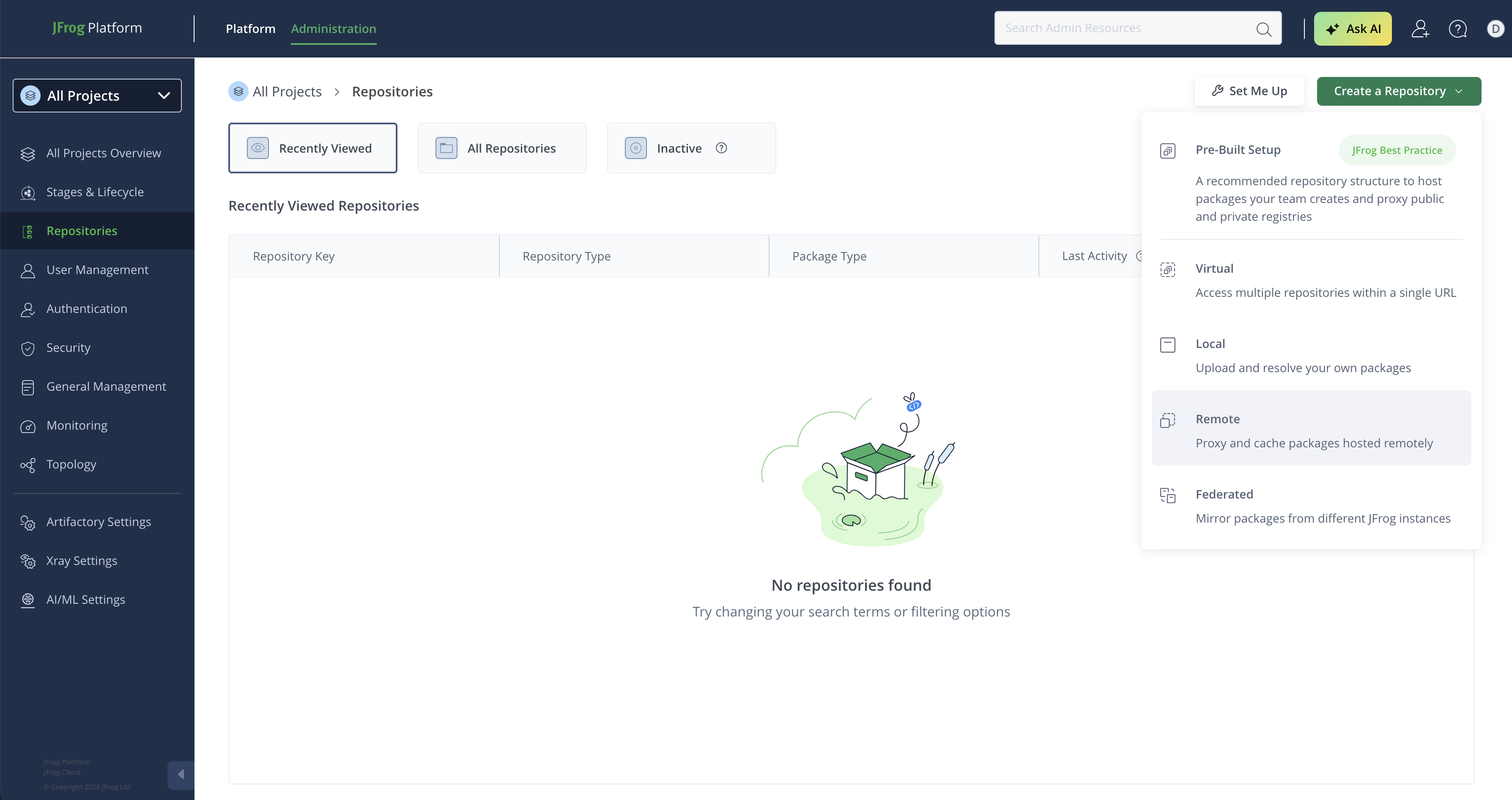
- Select Docker as the package type.
- Set the Repository Key (e.g.,
coroot). - Set the URL to
https://ghcr.io.
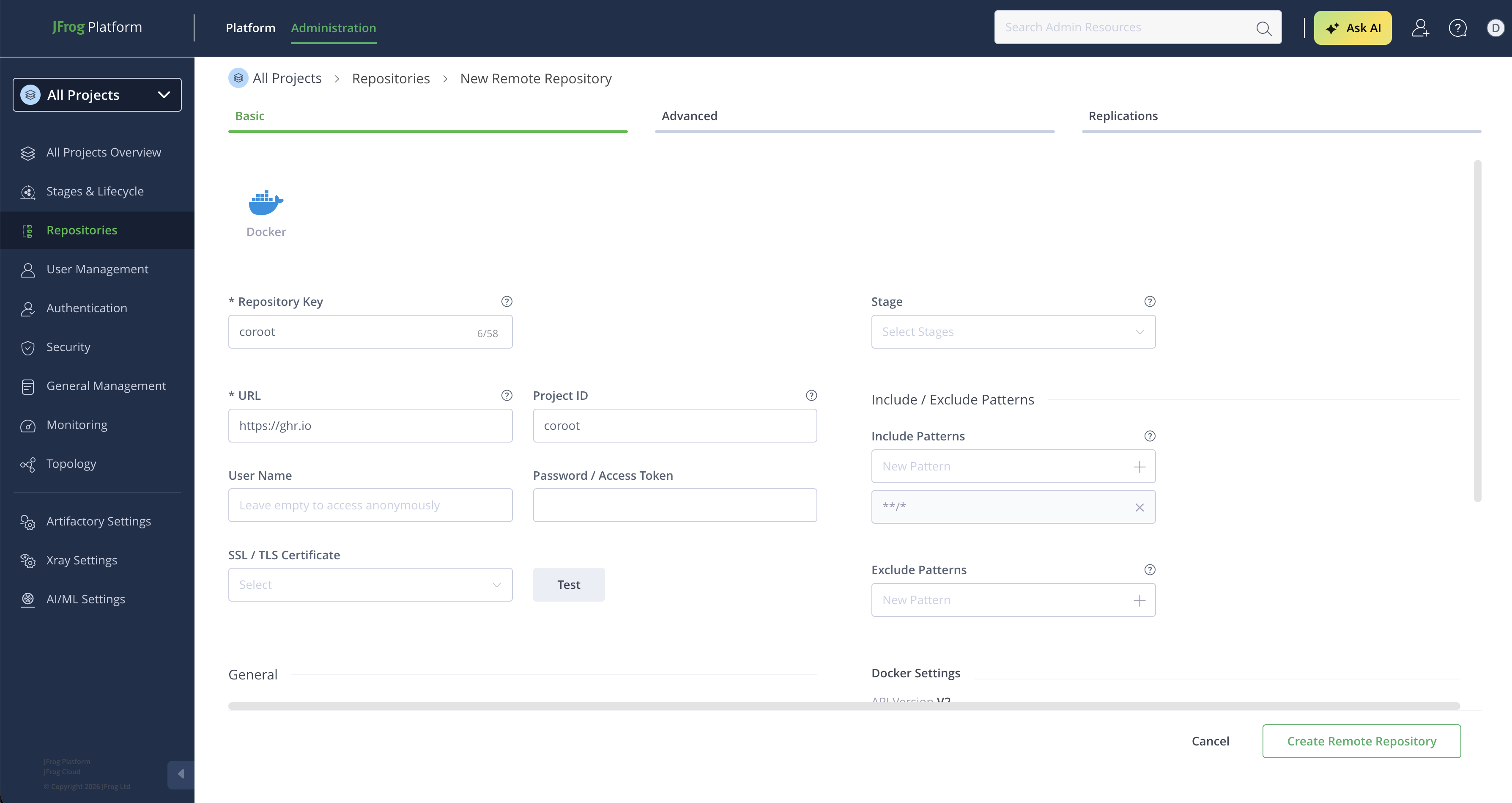
- Click Create Remote Repository.
Step 2: Get the Docker client configuration
After creating the repository, Artifactory provides the Docker client configuration with the authentication token.
- Go to Application → Artifactory → Repositories, find the
corootrepository, and click Set Up Client. - Select Docker as the client type.
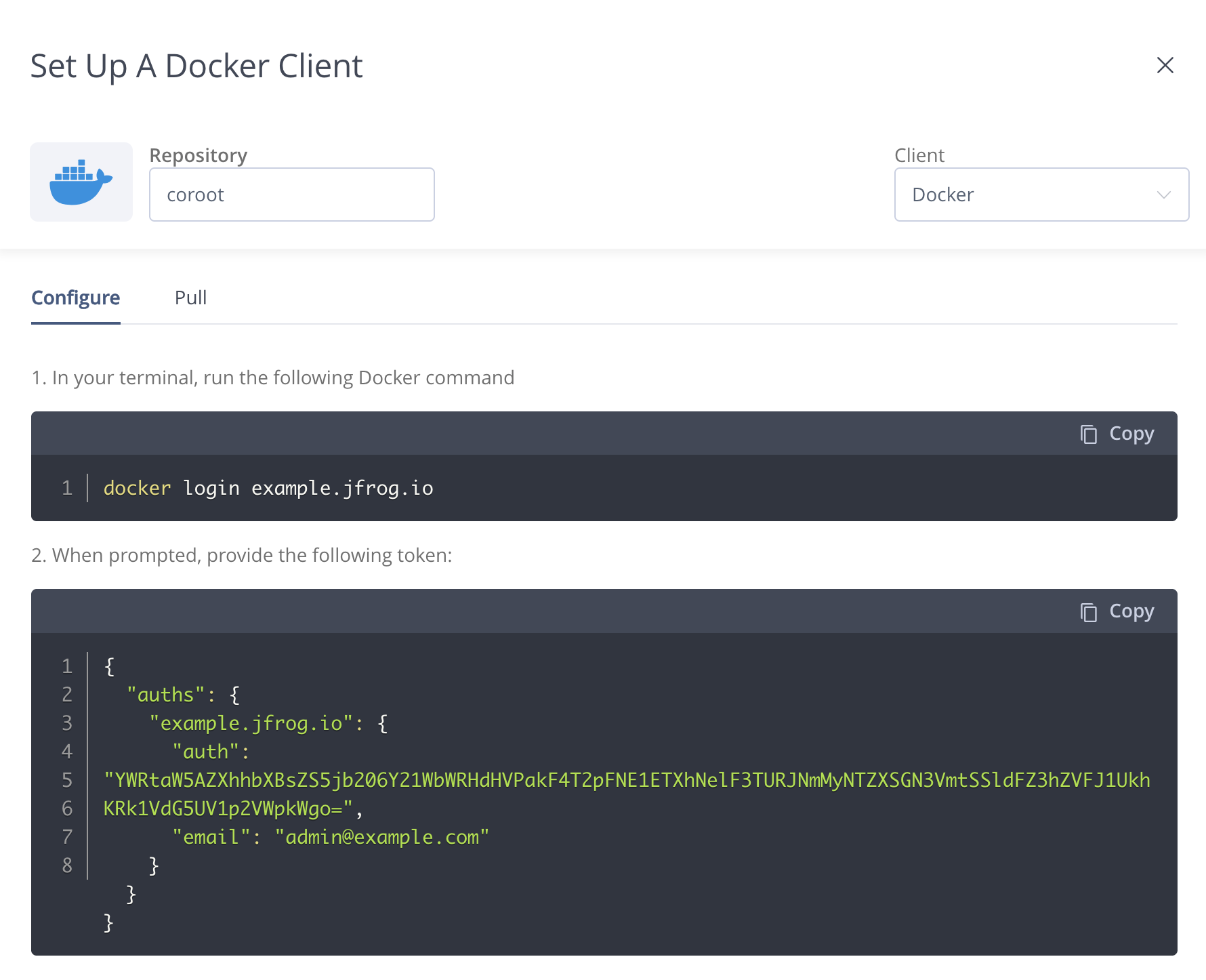
Copy the JSON configuration shown in the dialog — you'll use it to create the Kubernetes pull secret in the next step.
Step 3: Create the Kubernetes pull secret
Create a kubernetes.io/dockerconfigjson secret in the namespace where Coroot will be deployed,
using the JSON from the previous step:
cat <<'EOF' | kubectl create secret generic coroot-registry-auth -n coroot \
  --type=kubernetes.io/dockerconfigjson --from-file=.dockerconfigjson=/dev/stdin
{
  "auths": {
    "example.jfrog.io": {
      "auth": "<token from the Artifactory dialog>",
    }
  }
}
EOF
Step 4: Install the operator
Install the Coroot operator with the custom registry configuration:
helm repo add coroot https://coroot.github.io/helm-charts
helm repo update coroot

helm install -n coroot --create-namespace coroot-operator coroot/coroot-operator \
  --set registry.url=https://example.jfrog.io/coroot \
  --set registry.pullSecret=coroot-registry-auth
The operator will now:
- Discover new component versions by querying your Artifactory registry.
- Use your registry for all component image paths.
- Attach the pull secret to all component pods so kubelet can authenticate when pulling images.
Step 5: Deploy Coroot
Create the Coroot custom resource as usual:
apiVersion: coroot.com/v1
kind: Coroot
metadata:
  name: coroot
  namespace: coroot
spec: {}
The operator will pull all images through your Artifactory instance. You can verify by checking the pod image references:
kubectl get pods -n coroot -o jsonpath='{range .items[*]}{.metadata.name}{"\t"}{.spec.containers[*].image}{"\n"}{end}'
All images should point to example.jfrog.io/coroot/....
Self-signed certificates
If your Artifactory instance uses a self-signed TLS certificate, enable TLS skip verify:
helm upgrade -n coroot coroot-operator coroot/coroot-operator \
  --set registry.url=https://example.jfrog.io/coroot \
  --set registry.pullSecret=coroot-registry-auth \
  --set registry.tlsSkipVerify=true