Overview
Coroot monitors your GitOps delivery tooling, FluxCD and ArgoCD, and shows the state of every application they manage right on the Kubernetes page. At a glance you can tell whether your desired state is actually reconciled in the cluster: what's synced, what's degraded, what's suspended, and which Git or Helm source each application comes from.
When something is wrong, the affected tab is marked with a counter, and the issues are also summed up on the Kubernetes item in the main menu, so you don't have to open the page to know that a delivery is failing.
How it works
GitOps state is collected by the coroot-cluster-agent. Its embedded kube-state-metrics reads the FluxCD and ArgoCD custom resources and exposes their status as metrics, which Coroot turns into the views below.
Nothing needs to be configured. Coroot is installed with the Coroot Operator, and GitOps
monitoring works out of the box. Just make sure the operator is upgraded to the latest version, since it grants the
cluster-agent the read-only (get/list/watch) permissions it needs on the FluxCD (*.toolkit.fluxcd.io,
fluxcd.controlplane.io) and ArgoCD (argoproj.io) API groups.
Once FluxCD or ArgoCD resources are present in the cluster, the corresponding tab appears on the Kubernetes page. The agent never mutates your GitOps resources, it only reads their status.
The underlying metrics are documented on the Cluster-agent metrics page.
FluxCD
The FluxCD tab lists Flux applications (Kustomizations, HelmReleases, and ResourceSets) as a flat, single-line table.
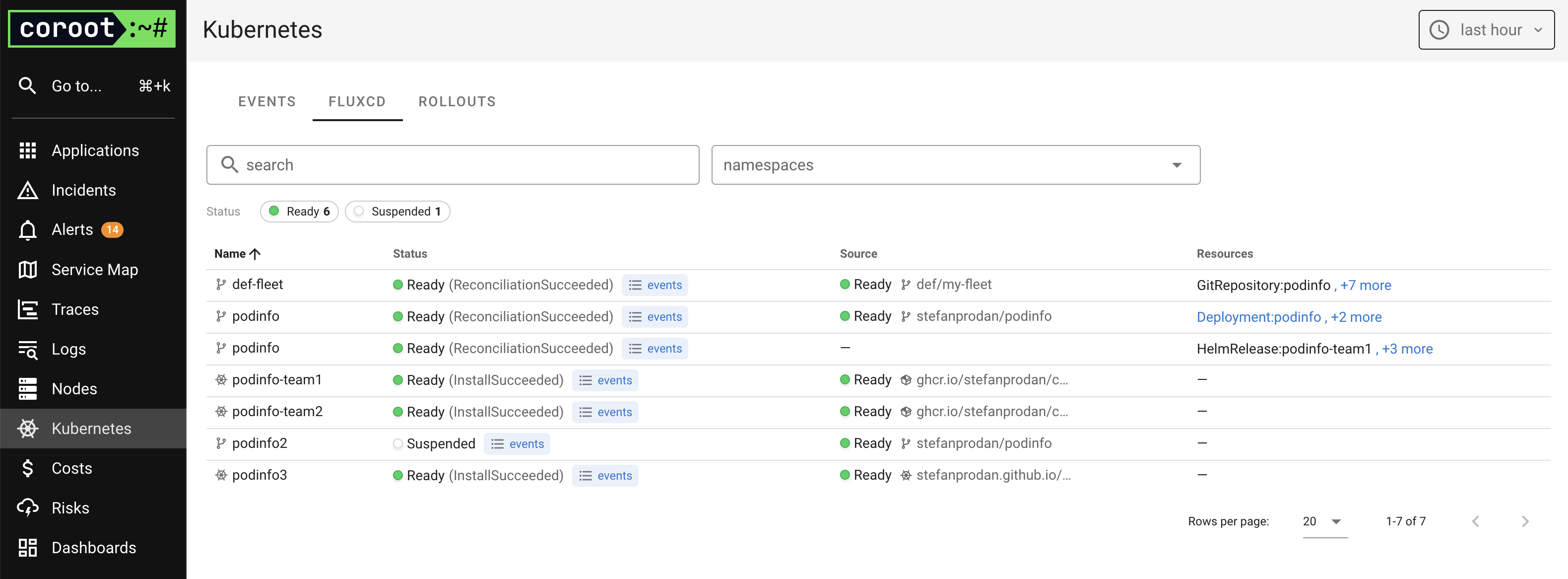
For each application you can see:
- Status: derived from the resource's
Readycondition (e.g.Ready (ReconciliationSucceeded),Suspended, or a failure reason), with a link to the related Kubernetes events. - Source: the source the application is reconciled from (a
GitRepository,OCIRepository, orHelmRepository), including its own readiness. If a source is failing, its status is propagated to the application so you can spot the root cause without drilling down. - Resources: the Kubernetes objects managed by the application, taken from its inventory.
Above the table, a Status summary shows how many applications are in each state (for example Ready or Suspended).
Click a status to filter the list down to it, and use the search box or the namespaces filter to narrow it further. The counts
reflect the other filters you have applied.
ArgoCD
The ArgoCD tab lists all ArgoCD Applications.
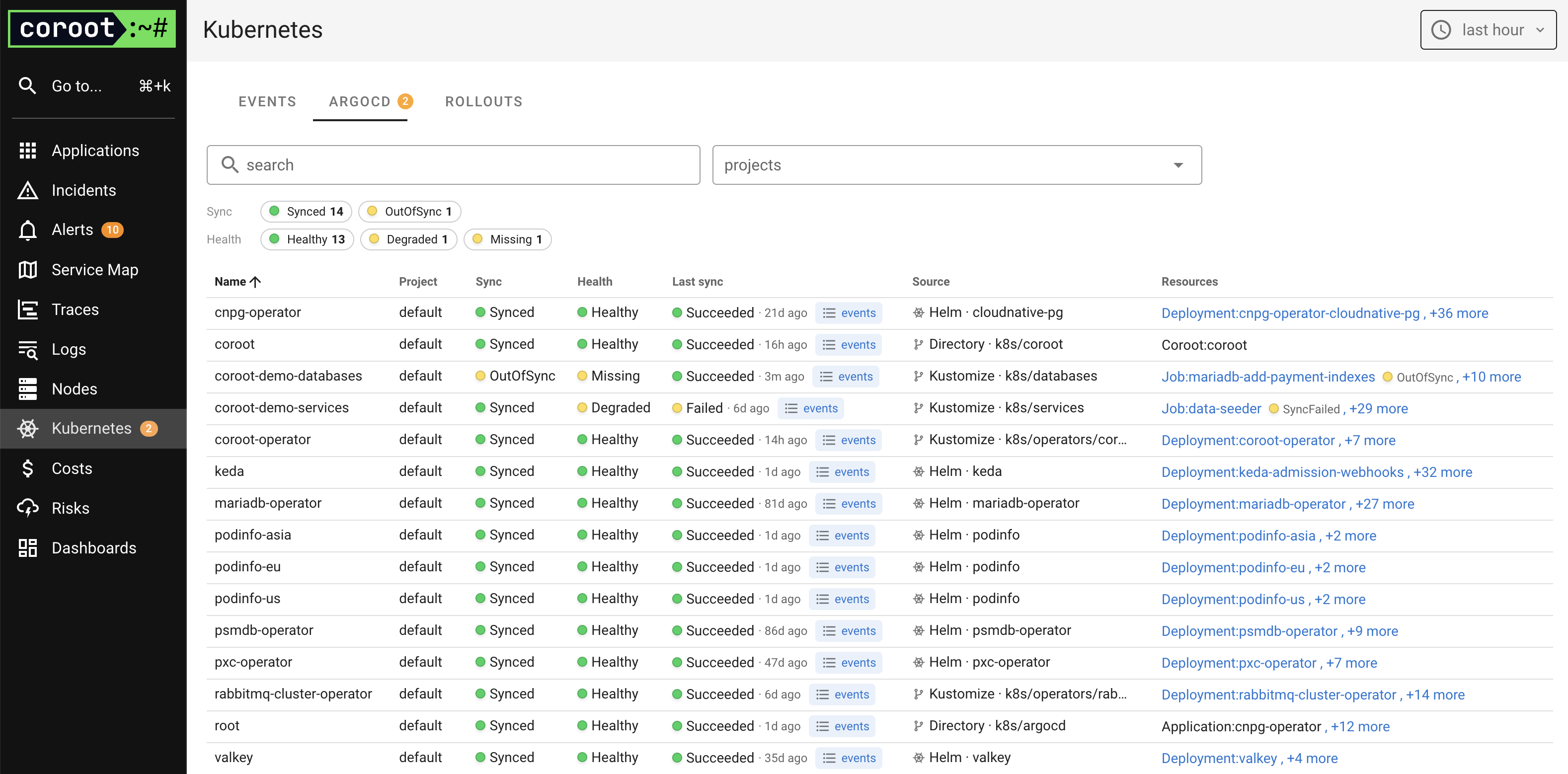
For each application you can see:
- Project: the ArgoCD
AppProjectthe application belongs to. - Sync: the sync status (
Synced,OutOfSync, ...). - Health: the health status (
Healthy,Progressing,Degraded,Suspended,Missing, ...). - Last sync: the result and time of the most recent sync operation (
Succeeded,Failed, ...), with a link to the related Kubernetes events. - Source: the Git or Helm source the application is deployed from (repository, path, or chart).
- Resources: the Kubernetes objects managed by the application. Where Coroot already monitors a managed resource, it links straight to that application.
Above the table, Sync and Health summaries show how many applications are in each state. Click any status to filter the list (the Sync and Health filters combine), and use the search box or the projects filter to narrow it further. The counts reflect the other filters you have applied.